


First impressions matter. In the real world, we form opinions about people within seconds of meeting them. The same principle applies to UI/UX design—users judge a website or app in milliseconds, deciding whether to stay or leave.
A well-designed interface builds trust, improves engagement, and enhances usability, while a poorly designed one leads to frustration and high bounce rates. But what exactly influences first impressions in UX? And how can designers ensure users have a positive experience from the start?
This blog explores the psychology behind first impressions in UI/UX, the key design factors that influence user perception, and best practices for creating intuitive, aesthetically pleasing, and user-friendly interfaces.

Image Credits - Siliconindia
Why First Impressions in UI/UX Matter
1. Users Judge a Website in 50 Milliseconds
Studies show that users form an opinion about a website’s design in 0.05 seconds. That means visual appeal and usability must be immediately evident.
2. 88% of Users Won’t Return After a Bad Experience
If a user encounters poor navigation, slow loading times, or an unattractive interface, they’re unlikely to give it a second chance. First impressions impact retention and conversions.
3. First Impressions Are 94% Design-Related
A study by Google found that visual complexity and familiarity are the two biggest factors affecting a user’s first impression. People prefer simple, clean designs that feel intuitive over cluttered, confusing layouts.
Now that we understand the importance of first impressions, let’s break down the key factors that shape them.
Key Factors That Influence First Impressions in UI/UX
1. Visual Aesthetics: The Power of Design
Humans are visual creatures. Aesthetics play a crucial role in how users perceive a product.
- Color Psychology: Colors evoke emotions and influence decisions. Blue builds trust, green conveys balance, and red creates urgency.
- Typography: Font choice impacts readability and brand perception. Sans-serif fonts (like Helvetica) feel modern, while serif fonts (like Times New Roman) feel traditional.
- Whitespace: Clean, uncluttered interfaces improve readability and focus. Well-placed whitespace makes content more digestible.
2. Simplicity & Clarity: Keep It Intuitive
Users don’t want to think too hard. A complex, confusing interface increases cognitive load, making people leave.
- Minimalist design reduces distractions and enhances usability.
- Clear hierarchy guides users toward important elements.
- Avoid clutter—each element should serve a purpose.
Example: Google’s homepage is a masterclass in simplicity. The search bar is front and center, making navigation effortless.
3. Speed & Performance: A Slow Website Kills Engagement
No one likes to wait. A slow-loading website damages first impressions and increases bounce rates.
- 53% of users abandon a site if it takes longer than 3 seconds to load.
- Google prioritizes fast websites in search rankings, making performance essential for SEO.
Optimization Tips:
- Compress images and use modern file formats (WebP).
- Minimize HTTP requests and use lazy loading.
- Leverage caching to improve page speed.
4. Mobile Responsiveness: A Must-Have, Not an Option
With over 60% of web traffic coming from mobile devices, a website must be fully responsive. If users encounter broken layouts or unreadable text on mobile, they’ll immediately leave.
Best Practices:
- Use flexible grid layouts to adapt to different screen sizes.
- Optimize touch targets (buttons should be large enough for easy tapping).
- Ensure fonts and images scale properly across devices.
5. Navigation & Usability: Make It Effortless
If users struggle to find what they need, they’ll leave. Navigation should be logical, predictable, and user-friendly.
- Keep the navigation bar simple. Avoid too many menu options.
- Use recognizable icons and labels. Users should instantly understand their function.
- Guide users with breadcrumbs. This improves orientation within the site.
Example: Airbnb’s homepage features clear, concise navigation, making it easy for users to find and book accommodations.
6. Trust & Credibility: Establish Confidence Instantly
Users are skeptical of poorly designed, outdated, or untrustworthy-looking websites.
To build credibility:
- Use high-quality visuals. Low-resolution images look unprofessional.
- Display trust signals. Add customer reviews, security badges, and social proof.
- Avoid intrusive pop-ups. They frustrate users and lower trust levels.
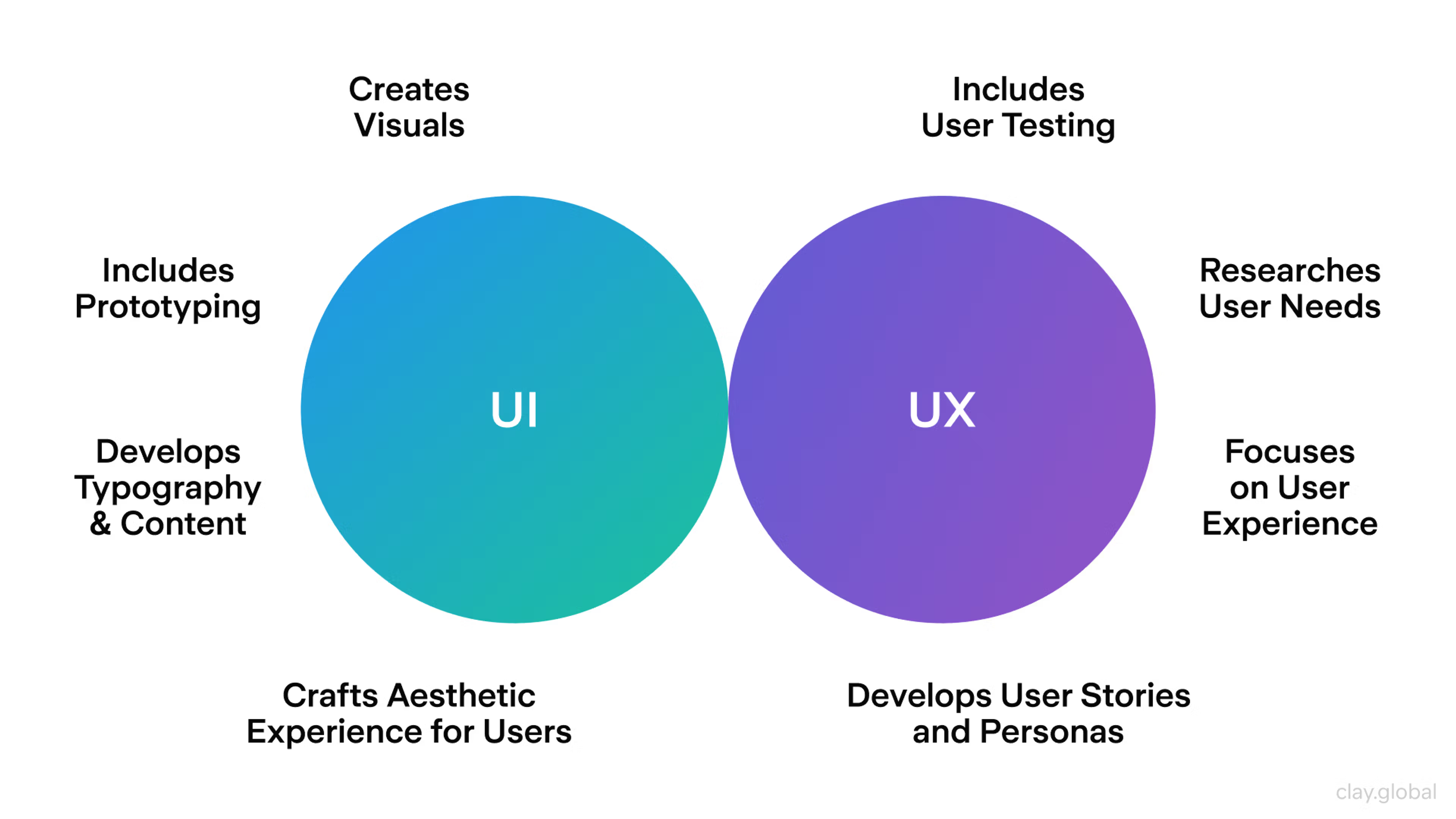
Image Credits - Clay
What you'll learn:
- Learn from industry experts and master practitioners.
- Engage in hands-on, project-based learning experiences.
- Connect with a vibrant community of creatives and professionals.
- Receive a certificate to boost your portfolio and credentials.
Best Practices for Creating a Strong First Impression in UI/UX
1. Follow the "F-Pattern" for Layout
Studies show that users scan websites in an F-shaped pattern—they focus on the top left and skim down the left side.
- Place important content and CTAs in these areas.
- Use headings and bullet points to make scanning easier.
2. Use Microinteractions for a Polished Feel
Small animations (like hover effects and button feedback) enhance usability and delight users.
- Example: Instagram’s like animation (heart popping up) creates instant positive feedback.
3. Personalize the Experience
Users appreciate personalization. Implement features like:
- Dynamic content based on user behavior.
- Smart recommendations (e.g., Netflix suggesting content).
- Customized greetings based on location or time of day.
4. Test, Test, Test
Usability testing reveals pain points and areas for improvement.
- Use heatmaps to track where users click.
- Conduct A/B testing on layouts and CTAs.
- Gather real user feedback through surveys.

Image Credits - Freepik
Conclusion
First impressions in UI/UX design happen fast and last long. Within milliseconds, users decide whether they trust and engage with a product—or leave. By prioritizing visual aesthetics, usability, speed, and trust, designers can create experiences that captivate users instantly.
A well-crafted first impression doesn’t just increase engagement and conversions—it fosters long-term user loyalty. Good design isn’t just about looking pretty; it’s about creating an experience that feels effortless, intuitive, and welcoming.
Next time you design a website or app, ask yourself: Does this experience make users want to stay?
Level up your UI/UX skills! Learn to create stunning interfaces and seamless user experiences with our Advanced UI/UX Design Course. Boost your career and design products that stand out.
Enroll today at Kaarwan' for more insights!
FAQs
1. How long does it take for users to form a first impression of a website?
Users form an opinion in 50 milliseconds, making visual appeal and usability crucial.
2. What are the key factors that influence first impressions in UI/UX?
Visual design, navigation, speed, mobile responsiveness, and trust signals shape first impressions.
3. How can I improve my website’s first impression?
Prioritize clean design, fast loading speed, clear navigation, and trust elements (like testimonials).
4. Why is mobile responsiveness important for first impressions?
Over 60% of users browse on mobile—if a site isn’t mobile-friendly, they’ll leave immediately.
5. What is the role of color psychology in first impressions?
Colors evoke emotions—blue builds trust, red creates urgency, green promotes balance—influencing how users feel about a product.




